


Ecosia: Search to plant trees
4.03.46K Reviews
App Specs
- Version
- 150.0.7871.63.42
- Updated On
- License
- Free
- Downloads
- 10,000,000+
- Developer
- Ecosia
- Categories
- Communication
- Platform
- Android, iOS
Screenshots
 Analysis by AppCompare
I judge a search app less by the novelty of its purpose than by whether I still want to open it after the first few days. Ecosia: Search to plant trees makes an appealing promise: turn a routine action into support for reforestation. That idea gives searches a little extra meaning, but its lasting value depends on a more practical question: does it work well enough for the searches I already make?
The appeal in the first week
On a new install, Ecosia is easy to understand. I type a question, browse the results, and can see an indication of the impact associated with my activity. That immediate feedback makes the purpose tangible instead of leaving it as an abstract claim. The app is free, intended for everyone, and comes from Ecosia, a developer whose identity is closely tied to the environmental mission.
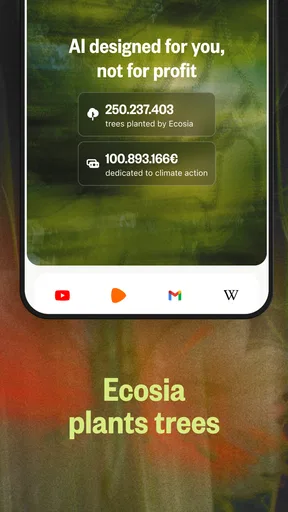
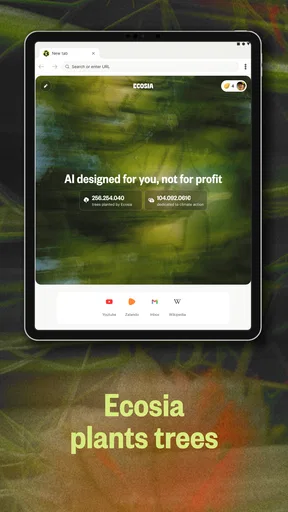
The first-week benefit is mostly about habit. If I use search for directions, recipes, quick definitions, product comparisons, or a question that comes up in conversation, I do not need to plan a separate charitable action. The app fits into a task I was doing anyway. Ecosia’s own summary points to more than 230 million trees planted, but I would treat that broad figure as context for the mission, not as a personal measure of what any one user’s searches accomplish.
Where the everyday experience fits
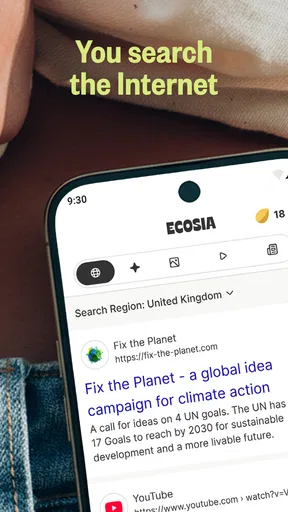
In ordinary use, the key test is not whether every result feels different; it is whether I can find a useful answer without changing how I search. For a simple query such as checking a word, looking up a familiar place, or finding a basic recipe, Ecosia can sit naturally in my routine. Its uncluttered presentation helps keep the search itself at the center.
A realistic day might mean searching for a bus stop on the way out, checking how long to cook dinner, and looking up a name mentioned in a message. Those are low-friction moments in which I would rather use one consistent search habit than remember to switch tools. The environmental angle can make those repeated actions feel more purposeful, but it does not remove the need to judge each result on its usefulness.
The app belongs to the communication category, yet I think of it primarily as a mobile search and browsing choice rather than a messaging tool. That distinction matters when deciding what you are installing: its value is tied to finding information and making search part of a routine, not to keeping in touch with friends.
How Ecosia Works Its Magic
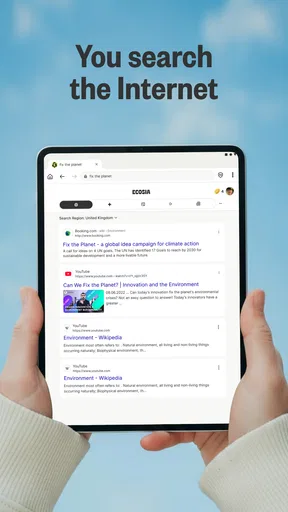
At first glance, Ecosia seems like any other search engine. You type in your query, hit enter, and boom, results pop up. But here’s the magic—every search you make contributes to tree planting efforts around the world. Ecosia uses the ad revenue generated from your searches to fund reforestation projects. It’s like doing your bit for the planet without even leaving your couch!
Worth Reading Before You Choose

EA SPORTS FC Mobile 26 Is a Bigger Football Game, but It Takes Time

Flipboard Shows What News Apps Must Do Beyond the Feed

Switching to Android Auto Means Rethinking Your Driving Routine

Google Calendar Makes a Crowded Week Easier to Manage

Ludo King Makes the Most of the Minutes Between Plans

Baby Panda World Brings Quick Play to Modern Phones, but Its Game Library Feels Busy
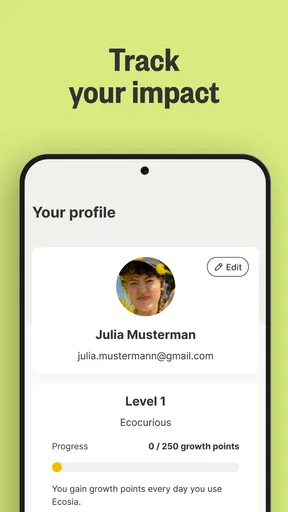
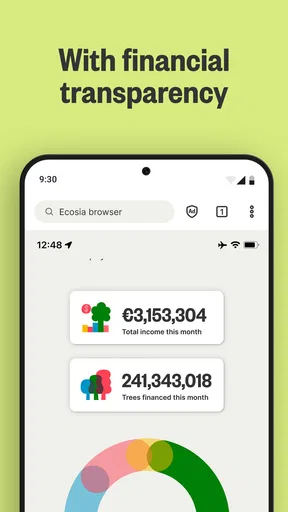
One of the coolest things is that you can track the impact of your searches. The app shows you how many trees have been planted thanks to your activity. It’s pretty satisfying to see that number go up, knowing you’re helping make a difference in tackling climate change.
Features That Stand Out
Besides its environmental mission, Ecosia offers features that make it a solid search engine choice:
- Privacy-focused: Ecosia doesn’t sell your data to advertisers and anonymizes your searches, prioritizing your privacy.
- User-friendly interface: The layout is simple and clean, making it easy to navigate through search results.
- Impact transparency: Ecosia provides monthly financial reports and tree-planting receipts, so you know exactly where the money goes.
These features make it not just an eco-friendly option but also a trustworthy one.
What changes after the novelty
The more useful question after a week is whether Ecosia earns a place in the daily routine when the counter is no longer new. I think its strongest case is for people who search often and are comfortable using one provider for most routine lookups. When a behavior is already automatic, keeping the app in that flow is easier than relying on motivation to remember a separate environmental action.
It is less compelling if you rarely search on your phone, or if you use search only for a narrow task where another tool already works better. You also should not treat a rising personal counter as a precise account of how many trees your individual searches caused to be planted. I find the counter more useful as a reminder of the app’s purpose than as a direct, one-to-one receipt for each query.
Getting more from routine searches
One practical way to test the app is to make it your first stop for a few ordinary categories rather than trying to replace every search tool at once. Try it for local information, quick facts, and familiar topics, then notice whether the results answer the question without extra reformulation. This gives you a fair sense of fit without turning every lookup into a comparison exercise.
For a question where wording matters, I would keep the query specific and include the context that distinguishes what I mean. If a result page is not useful, changing a vague phrase into a concrete question can be quicker than concluding that the whole app is unsuitable. On the other hand, if a specialized or very current query still produces weak results, switching to a search engine that handles that subject better is a sensible choice, not a failure of the environmental idea.
There is also a small but meaningful habit trade-off in choosing a default. A default reduces friction because searches begin in the same place, while keeping another search provider available gives you an escape route for edge cases. I would use Ecosia as the everyday starting point only if I am willing to accept that occasional second search may be needed; if I demand one engine to be best for every topic, this may not be the right fit.
The App Experience
Installing the app on both Android and iOS is a breeze. Once you set it as your default search engine, you’re all set to start searching and planting. The mobile version is just as intuitive as the desktop version, offering a seamless experience across devices.
While browsing, I noticed that the search results are powered by Bing, but Ecosia adds its own layer of eco-consciousness which is a unique twist. It’s like having a green thumb for the internet!
Choosing it beside familiar alternatives
Compared with the search engine many people already use by default, Ecosia’s clearest difference is its environmental purpose, not a promise that every result will be more relevant. The original article notes that results are powered by Bing, so anyone accustomed to another provider’s ranking and presentation may notice differences on particular queries. Search quality is personal: a result set that works well for everyday questions can still be less helpful for a specialist subject or a precise local request.
I would compare options by trying the same few searches that matter in my own life: a nearby service, a niche interest, and a question where a trustworthy source is important. That reveals more than a broad claim about which engine is best. If Ecosia gives me a good enough answer for most routine searches, its purpose can be a worthwhile tie-breaker. If I repeatedly need to redo searches elsewhere, the extra friction may outweigh that benefit for me.
This is also a useful way to think about whether to keep it installed. It is a sensible choice for someone who wants their default search habit to support an environmental mission and does not mind using another provider occasionally. It is less suitable for someone who prioritizes identical results across devices or relies on one search engine for highly specialized research. I would not choose it simply because its cause sounds appealing; I would keep it because the routine searches I make remain convenient.
Maintenance, friction, and fatigue
There is little ongoing maintenance in the ordinary sense: the central commitment is to keep using it, rather than to manage a separate tree-planting routine. Setting a preferred search app or default can take a little adjustment, especially if you are used to launching another provider automatically. After that, the main upkeep is deciding whether its results still meet your needs and keeping your habit consistent.
The likely source of fatigue is not a complicated interface but the gap between a satisfying purpose and the uneven nature of search. If a query is hard to answer, it can be tempting to blame the app’s results or to switch back permanently. I would avoid making that decision based on one difficult search. Test it across a normal week, and pay attention to how often it solves the kinds of questions you actually ask.
Another possible fatigue point is the impact counter. At first, watching it change can make ordinary searches feel rewarding. Later, it may become background detail. That does not necessarily make the app less useful: a habit can retain value even when its feedback is no longer exciting. I would judge it by whether I still prefer its overall experience and mission, not by whether each search feels like a visible achievement.
Room for Growth
No app is perfect, and Ecosia is no exception. While it does a fantastic job, it might not always match the search result accuracy of bigger search engines like Google. There are times when you might need to switch back for more specific queries.
Also, the speed can sometimes lag, especially if you’re used to lightning-fast results. But considering the trade-off—helping the environment—it’s a small price to pay.
Those limitations matter more to some people than others. If I am checking a simple fact, a small delay or a less polished result may be easy to tolerate. If I am in a hurry, researching a technical subject, or comparing information that needs careful verification, I want the strongest results and fastest workflow available to me. In those cases, using a second search provider is practical. Ecosia does not need to win every query to be a useful everyday option, but I would not force it into tasks where it consistently costs me time.
It has a substantial audience: the app has passed 10 million installs and has an average rating of 4.1 from around 188,000 ratings, with roughly 3,400 written reviews. I see that as evidence that many people find the concept and routine worthwhile, not proof that every user will have the same search experience. It is free, rated for Everyone, and its current version is 148.0.7778.120.35; the app first appeared on July 26, 2013, and requires Android 10 or later. Those details make it straightforward to consider, though I would still check that my device meets the system requirement before installing.
Who is likely to keep it
I would recommend Ecosia to someone who already searches frequently on a phone, values the environmental mission, and is happy to use a second engine when a particular result falls short. It is also a reasonable option for people who want a visible reminder that everyday digital choices can support a broader goal, without adding a separate task to their day.
I would hesitate to recommend it as the only search option to someone who depends on very precise results for work, has a strong preference for another engine’s presentation, or gets frustrated by having to reformulate queries. The best test is simple: use it for the ordinary searches you make anyway, and notice whether the purpose adds value without making those searches feel like chores.
Wrapping It Up
Overall, Ecosia: Search to plant trees is more than just a search engine; it’s a movement. It’s an easy way for each of us to contribute to reforestation and fight climate change, one search at a time. While it might not replace your primary search engine for every task, it’s a wonderful alternative for everyday browsing.
So, if you’re ready to turn your online habits into an environmental action, give Ecosia a try. You’ll be joining millions of users who are making a real difference, one search at a time. Plus, who doesn’t love the idea of planting trees while surfing the web?
Ready to make an impact? Download the app and start searching to plant trees today!
Pros
- Eco-friendly search engine.
- Supports global reforestation.
- Privacy-focused browsing.
- User-friendly interface.
- Fast search results.
Cons
- Limited advanced search options.
- Fewer search filters than competitors.
- Occasional ad clutter.
- Not as feature-rich as Google.
- Region-specific tree planting.
FAQs for Ecosia: Search to plant trees
What is Ecosia and how does it work?
Ecosia is a search engine that plants trees with its ad revenue. When you search the web using Ecosia, the ads generate income, which is then used to fund reforestation projects around the world. It functions like any other search engine but emphasizes environmental impact.
How many searches does it take to plant a tree?
On average, it takes about 45 searches to plant a tree with Ecosia. This number can vary depending on factors like ad revenue and project costs. Ecosia is transparent about its finances, regularly publishing reports to show how much is being earned and spent on planting trees.
Is Ecosia safe to use for searching the internet?
Yes, Ecosia is safe to use. It protects user privacy by not selling data to advertisers and anonymizing search data within a week. It uses encryption to secure searches and does not create personal profiles, making it a privacy-friendly alternative to other search engines.
Can I use Ecosia on both Android and iOS devices?
Yes, Ecosia is available as a mobile app for both Android and iOS devices. It can be downloaded from the Google Play Store and the Apple App Store. Additionally, you can use it as a browser extension on desktop computers for Chrome, Firefox, and Safari.
What impact has Ecosia made so far?
Ecosia has planted millions of trees worldwide, contributing to reforestation efforts in biodiversity hotspots and areas affected by deforestation. Their projects help restore ecosystems, support wildlife, and improve local communities' livelihoods. Ecosia’s impact reports detail the progress and benefits of their tree-planting initiatives.


